 Neon

BookOrbit
A self-hosted library management and reading platform for epub, pdf, audiobooks, and comics.






Documentation · Live Demo · Report a Bug · Request a Feature
About
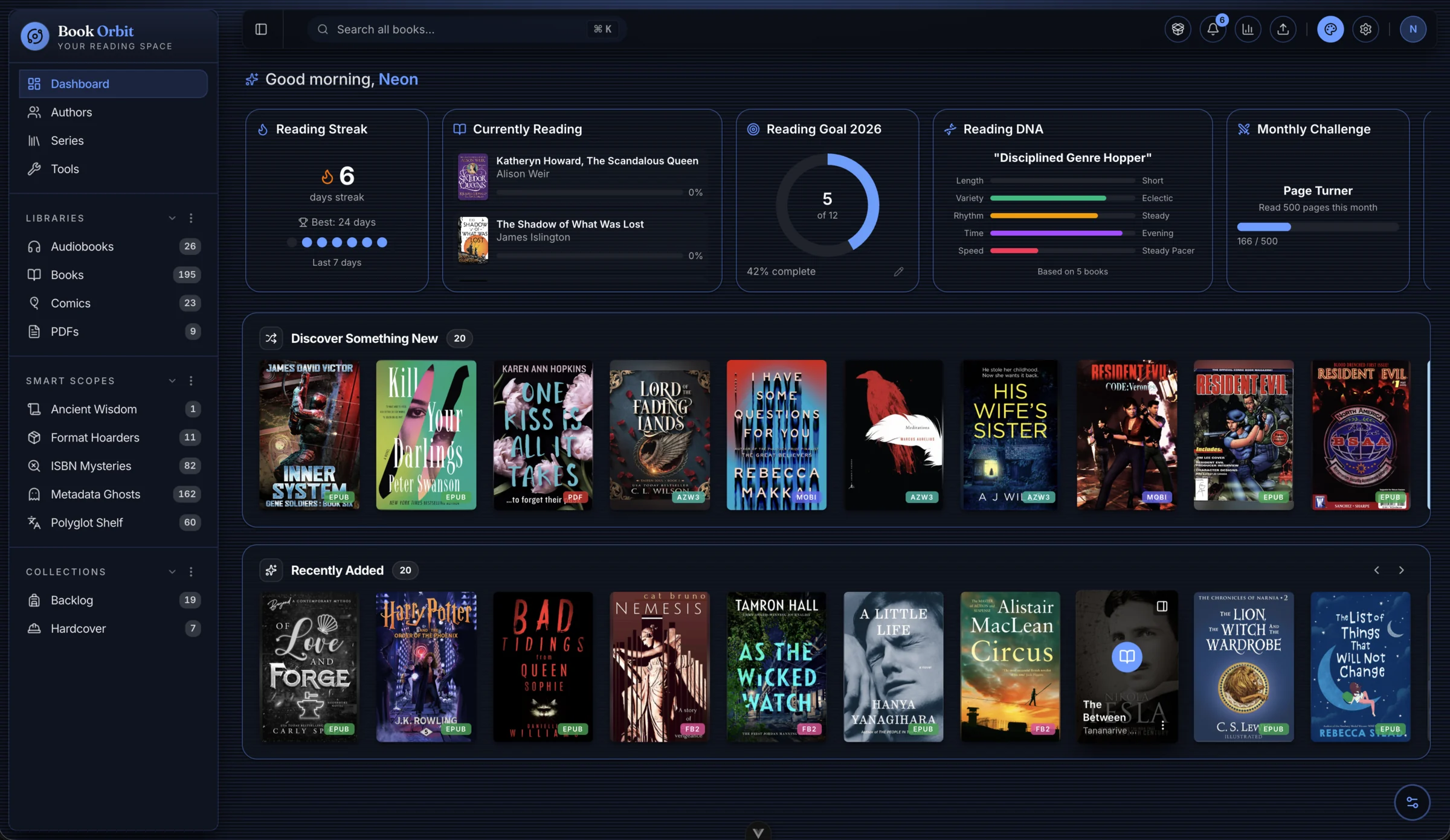
BookOrbit is a self-hosted book and library manager. Deploy it once on your own server and get a full reading platform: built-in readers, rich metadata, reading statistics, device sync, and multi-user support - all running on your hardware.
No subscription. No third-party account. No data leaving your server.
Live Demo
Try BookOrbit without installing anything. The demo is pre-loaded with a sample library and resets automatically.
Open demo - no account needed, click the link to log in automatically.
Features
- 4 built-in readers - eBook (EPUB, KEPUB, MOBI, AZW3, FB2), PDF, Comics (CBZ, CBR, CB7), Audiobook (M4B, MP3, FLAC, and more)
- Multiple libraries with independent scan rules, format priorities, and metadata configuration
- Collections and Smart Scopes - curated lists and saved filters that live in your sidebar
- Metadata from 9 providers - Google Books, Goodreads, Hardcover, Amazon, Audible, ComicVine, and more; with field-level rules and confidence scoring
- Reading statistics - daily time, heatmap, streaks, pace, goal tracking, and library health
- Kobo sync - sideload books and sync reading position over the local network
- OPDS, email delivery, and Book Dock for getting books in from anywhere
- Multi-user with per-user permissions, isolated reading data, and OIDC/SSO support
Setup
See the Installation guide for Docker setup, NAS installs, environment variables, and upgrade instructions.
Documentation
Full documentation is at bookorbit.app.
What is BookOrbit? · Installation · Creating a Library · Metadata · Kobo Sync · Users & Permissions
Developing
See DEVELOPMENT.md for local setup, architecture, project structure, database workflow, and commands. See TESTING.md for test suites, coverage, and E2E details.
Contributing
Contributions are welcome. For the full contribution workflow (branch naming, test expectations, PR checklist, commit format), see CONTRIBUTING.md.
To report a security vulnerability, use GitHub's private vulnerability reporting - do not open a public issue.
Support
- Questions and discussion: GitHub Discussions
- Bug reports: GitHub Issues
- Feature requests: GitHub Issues
License
BookOrbit is licensed under the GNU Affero General Public License v3.0.